How Athlink works, from finding a game to playing it.
Athlink brings the people together. The host sets the game and decides who joins; the app keeps the roster and the chat private until then.
-
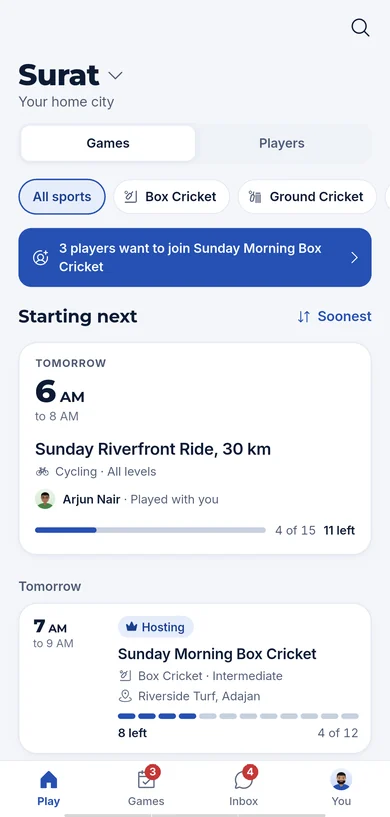
Find a game in your city
- Set your home city once, or browse another city when you travel.
- Games are listed by start time, with the sport, the level, the host and how many places are left.
- Filter by sport, search by name, or switch to Players to find people to play with.
-
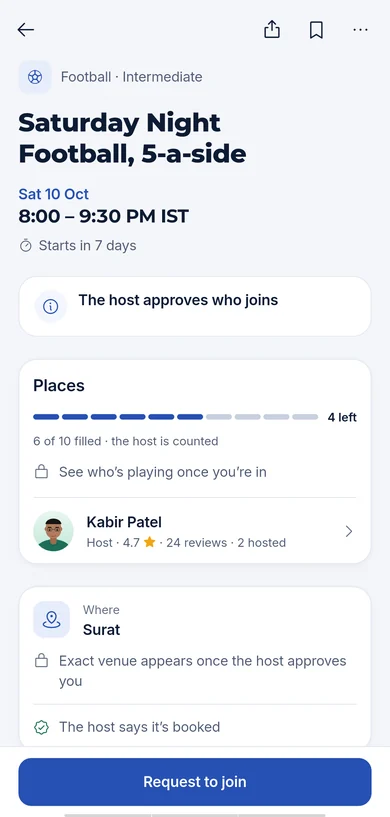
Ask for a place
- Each game page shows the sport, the level, the day and time, the places and the host’s rating.
- It shows the venue too, so you know where it is before you ask. The player list stays hidden until the host approves you.
- Requesting is one tap. It cannot be undone, and a game you leave cannot be rejoined, so the app says so before you confirm.
-
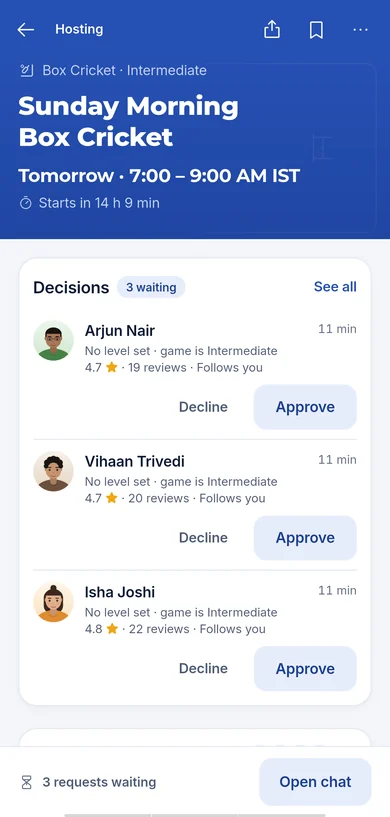
The host decides
- Hosts see every request with the player’s level for that sport, their rating and their reviews.
- Approve or decline with one tap. Approval is final, so it happens where the places and the player are both in view.
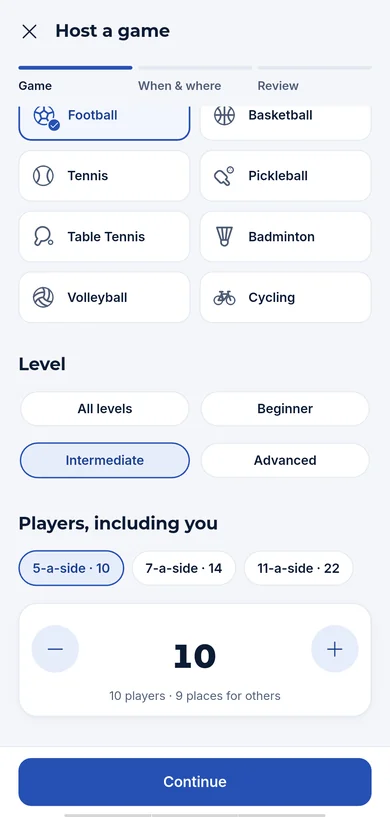
- Capacity counts the host: a ten-place game is ten people including the host.
-
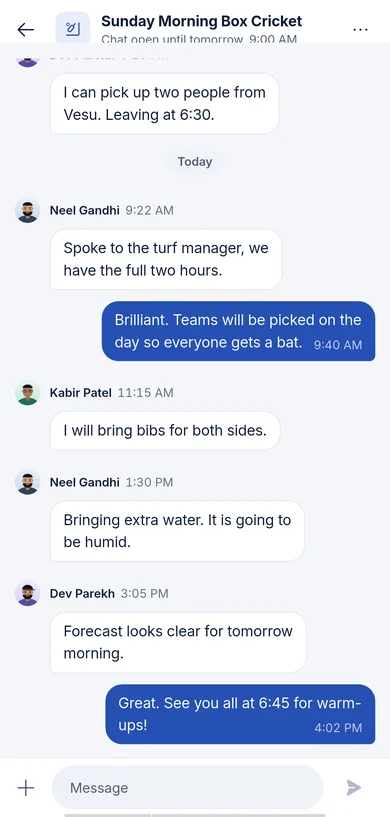
Plan it in the chat
- Approval opens the roster and the game’s chat.
- The chat stays open until the game ends and remains readable afterwards.
- Direct messages between players have their own lifecycle and can be archived.
-
After the game
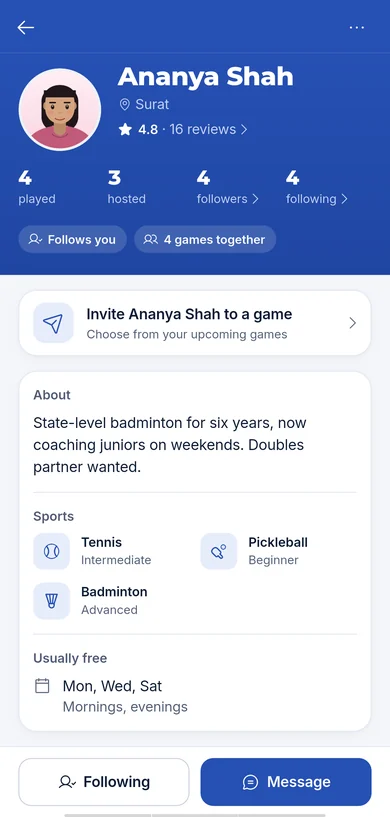
- Rate the people you played with. Ratings and reviews appear on player cards.
- Follow players you want to see again. Your player card shows your sports, levels, availability and reviews.
- Blocking and reporting are available on every profile and game, and moderation decisions can be appealed.
-
Host your own
- Pick the sport, give the game a title, set the day and time, choose the venue and the number of places.
- Edit the game until it starts. Cancelling tells everyone who was in.
- Athlink does not book venues or take payment; the host and players agree the venue and any costs directly.
Get the app.
For adults 18+. Availability may vary by region.